Newsfeed
Publishers, posts, gating, and moderating what fans say back.
Every post goes out under a publisher, so create your publishers before you write the first post.
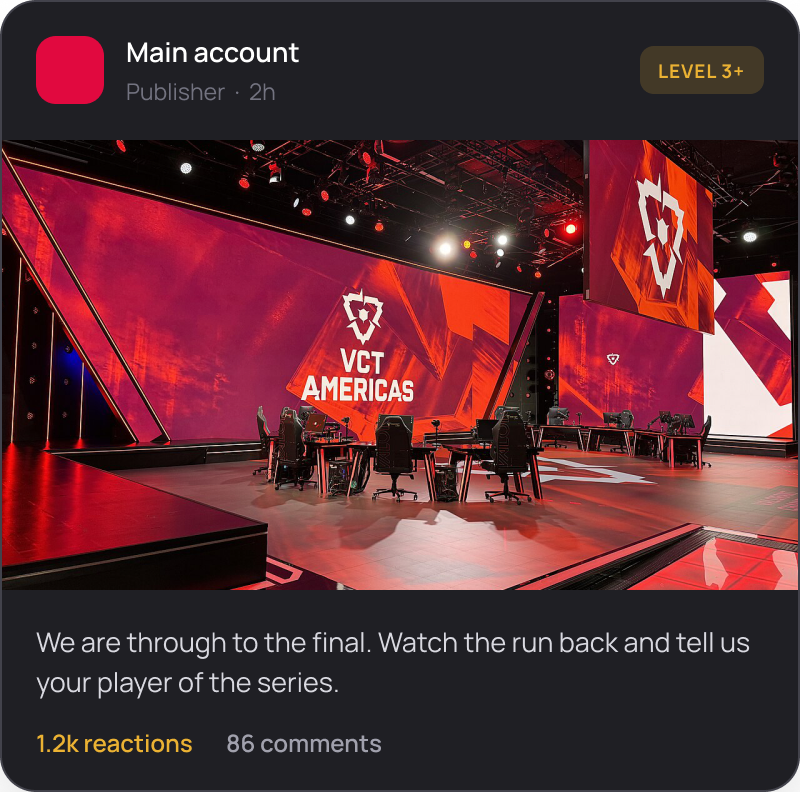
Publishers first
A publisher is who a post comes from, and every post has one.
Creating one takes a name and a profile image.
Most teams want more than one. An esports org posts as the org for announcements and as each pro player for their own content, and fans filter the feed by publisher to follow the player they care about.
Set them all up at the start. Adding a publisher later does not backdate the posts already published under another name.
Creating a post
| Element | What it does |
|---|---|
| Images | One or several per post. |
| Video | Uploaded and played in the feed. |
| Rich text | Headings, bold, lists and links in the body. |
| Links | A link to X, YouTube or Twitch renders as an embed rather than a bare URL, so the post shows the video or the tweet in place. |
The embed is the reason to post here rather than only on social: the fan watches the clip without leaving the app, and everything else on the page is a quest.
Gating a post
Restrict a post to fans who have earned the right to see it.
| Requirement | Who gets in |
|---|---|
| Level | Fans at or above a level you choose |
| Discord role | Fans holding a role in your server. Needs Discord connected |
| Collectible | Fans who own a specific item |
| Premium membership | Fans on a paid tier. See Premium membership |
Gated content is one of the few rewards that costs you nothing to produce twice. Behind-the-scenes footage or an early team announcement: post it gated and it does more work than the same clip posted publicly.
Do not gate everything. A feed a new fan cannot read gives them no reason to come back and earn their way in.
Pinning and featuring
Pin holds a post at the top of the feed. Feature lifts a post out of the feed so it is showcased on its own. Feature is for evergreen posts, the ones worth reading in three months: how the community works, what the seasons are, where to start.
Both are for one post at a time. A feed with four pinned posts has no top.
Take the pin off when the moment passes. A pinned match preview for a match that finished last week tells fans the feed is not being kept up to date.
Comments
Fans reply to posts, and the replies thread, so a conversation stays readable rather than becoming a flat list. Fans can edit and delete their own comments, and long threads collapse. An edited comment is marked as edited. A deleted one leaves the replies underneath it intact.
Every comment has a permalink, so you can link one directly instead of describing where to scroll.
You moderate from the panel: remove a comment that breaks your rules, and deal with the fan in Members if it is a pattern rather than a one off.
Decide who is moderating before you launch, and decide it for the worst day rather than an average one. Match nights and roster news generate comments faster than anything else in the app, and a feed where the loudest reply has stood for three days sets the tone for the next month.
Comment voting, up and down with sorting by score, is built but switched off by default. Ask us to enable it if you want it. It suits a large community where the best replies need surfacing. In a smaller community, leave it off.