Managing quests
What you can edit after publishing, what you cannot, and the numbers each quest carries.
Two fields are locked the moment a quest is saved.
Editable and locked fields
| Field | After the quest is saved |
|---|---|
| Template | Locked |
| Reward | Locked |
| Title, description and image | Editable |
| Tag and order on the board | Editable |
| End date and expiry | Editable |
| Visibility and requirements | Editable |
| Recurrence, streak boost and reward cap | Editable |
| Featured | Editable |
Two fields are locked. Every other field on the form stays editable, so a confusing description can be fixed while fans are working through the quest.
The reason is fairness. Fans have already completed the quest under the terms you published, and changing what it verifies or what it pays would mean two fans doing different work for different pay under the same title.
At creation time, the template and the reward are the two fields to check twice. Everything else you can fix later. If you get one wrong, duplicate the quest, correct it, and archive the original. The completion history stays with the original.
A quest saved as a draft has already fixed its template and reward.
Unpublishing
The quest comes off the board.
- Fans can no longer see it or complete it.
- A fan who was mid quest loses it. This matters most for gaming quests, where progress accumulates over hours of play: the card disappears and the hours do not count.
- Fans who already completed it keep it in their quest history, with the reward they were paid.
Unpublish a quest whose target broke, for example a deleted post or a dead link. For a quest that has run its course, an end date is kinder, because fans see it closing rather than vanishing.
Duplicating
Duplicate copies every field into a new draft, including the template and reward you could not otherwise change.
It is how you fix a mistake, and it is how you run the same quest again next month without rebuilding it. Rename the copy before you publish. Two quests with the same title on one board is a support ticket.
Per quest analytics
Open a quest to see how it performed.
| Measure | What it tells you |
|---|---|
| Completions | How many fans finished it |
| Attempts | How many tried. The gap between attempts and completions is the quest's real difficulty |
| Completion history | A graph over time, which shows whether a quest is still earning attention or was finished in the first afternoon |
| Fan detail | Who completed it, how many attempts they took, and when |
| Timeframe | Today, the last seven days, or all time |
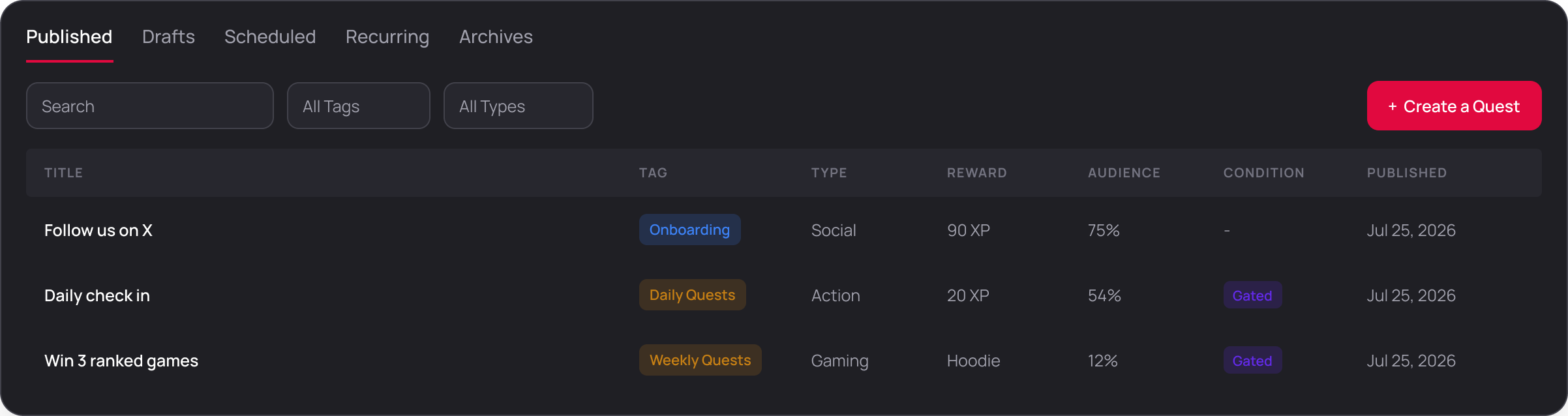
The Audience column
The quest board carries an Audience percentage. It is the share of your whole community that has finished the quest:
completions / total members x 100So a quest sitting at 4% in a community of fifty thousand has been completed by two thousand fans. Judge it against the tab it sits under and against your other quests, never against 100. A daily quest and a quest that asks for a photo will never produce comparable numbers, and expecting them to is the fastest way to retire something that was working.
Export the fan detail as a CSV for anything you need outside the panel, like drawing a winner or briefing a sponsor.
A high attempt count with a low completion count usually means the instructions are wrong rather than the quest being hard. Read your own description again before you change the reward.
For community wide numbers rather than one quest, see Analytics. For pulling this into your own systems continuously, see Data API.